How to Scan the Citrix NetScaler Zero-Days Without Breaking Scope
CVE-2026-88771 and CVE-2026-88772 hit 22,000 exposed NetScaler instances. Learn how to map, scan, and verify both zero-days inside strict scope using an AI pentesting agent.
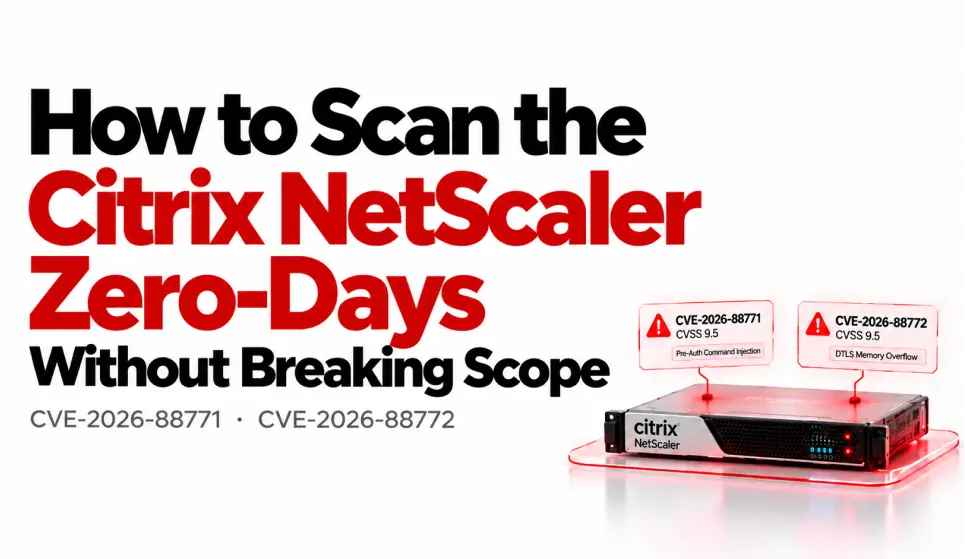
Two pre-auth RCE zero-days just dropped for Citrix NetScaler. 22,000 instances sit exposed on the open internet. Attackers have been exploiting both for weeks — planting webshells, running commands as root — and most defenders are still figuring out which of their boxes are even vulnerable.
This post walks through exactly how an AI terminal agent handles CVE-2026-88771 and CVE-2026-88772: mapping your NetScaler footprint, scanning for the flaws, verifying what's real versus scanner noise, and checking the dark web for leaked credentials — all inside strict authorization boundaries.
What Happened: Two NetScaler Zero-Days, Weeks of Silence
On September 28, 2026, Citrix published CTX697096, confirming eight vulnerabilities across NetScaler ADC and Gateway. Two of them — CVE-2026-88771 and CVE-2026-88772 — were already being exploited in the wild.
The timeline is ugly. Attacks had been unfolding for roughly three to four weeks before the patch dropped. The Dutch NCSC-NL issued early warnings to government suppliers. Reddit threads surfaced Friday night. Patches came Sunday. CISA gave U.S. federal agencies until September 30 to patch — a three-day deadline, which tells you how seriously they're taking it.
Both CVEs score CVSS 9.5 under v4.0. Neither requires authentication.
CVE-2026-88771: Pre-Auth Command Injection
The root cause lives in a Perl script called ns_monuploadd_err.pl. It processes PPE crash logs using a shell pipeline (grep | sed | awk) and interpolates the result into a backtick command — without any input validation. An attacker sends a crafted POST to /nf/auth/doAuthentication.do with shell metacharacters in the login field. The payload lands in a log entry. When the script runs (typically within 24 hours), the injected commands execute as root.
Here's what the injection looks like in practice, per watchTowr's analysis:
login=pitboss PPE unexpectedly died NSPPE;:\`id>/var/tmp/target\`;# X
The script parses this, extracts the injected string, and drops it into a find command. The semicolons act as command separators. Root shell.
Affected versions: NetScaler ADC/Gateway 14.1 before 14.1-73.37, 13.1 before 13.1-64.23, and corresponding FIPS/NDcPP builds.
CVE-2026-88772: DTLS Memory Overflow
This one is a memory corruption bug in the DTLS (Datagram TLS) handler. DTLS is enabled by default on virtual VPN servers, which means most Gateway deployments are exposed without anyone touching the config. Exploitation leads to RCE or denial of service.
Same versions affected. Same CVSS 9.5.
Why This Is a Problem for Pentesters and Security Teams
If you run authorized assessments against organizations using NetScaler — and many do, since it's one of the most common remote access appliances — you need to answer three questions fast:
- Which of my client's NetScaler instances are reachable from the internet?
- Are they running a vulnerable version?
- Have they already been compromised?
Doing this manually across a dozen targets is tedious. Doing it across fifty is a week of work. And the whole time, you need to stay inside your authorized scope — no scanning IPs you don't have permission for, no accidentally triggering the injection on a production box.
How Redcell Handles This: Step by Step
Redcell is an AI pentesting agent that runs in your terminal. You give it a scope, and it handles recon, scanning, and verification autonomously — but it won't touch anything outside the IPs and domains you've authorized.
Here's how a Redcell engagement against these CVEs would work in practice.
Step 1: Define Scope and Authorization
Before anything runs, Redcell asks you to confirm your authorized targets. This is the scope-guard feature — it blocks scanning, enumeration, and exploitation attempts against any asset you haven't explicitly permitted.
redcell scope set --targets "10.0.0.0/24, vpn.client.com" \
  --exclude "10.0.0.1" \
  --authorization "pentest-agreement-2026-09.pdf"
Every subsequent action checks against this boundary. If recon discovers a NetScaler instance at an IP outside the authorized range, Redcell flags it in the report but doesn't touch it.
Step 2: Autonomous Recon and Fingerprinting
Redcell runs subdomain enumeration and port scanning against your in-scope targets automatically. For NetScaler, it looks for:
- HTTPS services on 443 with NetScaler-specific response headers
- The
/vpn/index.htmland/nf/auth/doAuthentication.doendpoints - TLS certificate details that identify the appliance model and firmware hints
- DTLS services on UDP/443 (relevant for CVE-2026-88772)
It correlates these signals to build a target list of probable NetScaler instances, ranked by confidence.
Step 3: CVE Scanning with Nuclei Templates
Redcell wraps Nuclei — it runs the relevant templates against identified NetScaler targets. For CVE-2026-88771, this means checking version fingerprints against the known-vulnerable builds and endpoint reachability for /nf/auth/doAuthentication.do.
For CVE-2026-88772, it probes UDP/443 for DTLS handshake responses and compares the build version against the patched thresholds.
The scanner doesn't fire the actual injection payload. It fingerprints and version-checks. You confirm vulnerability without triggering a root shell on your client's production gateway.
Step 4: PoC Verification — Separating Real from Noise
This is where the AI agent earns its keep. Nuclei might flag 15 instances as "possibly vulnerable." A human pentester would spend a morning triaging each one. Redcell does it automatically:
- Version confirmation: Cross-references the detected build number against Citrix's advisory.
- Configuration check: For CVE-2026-88772, verifies whether DTLS is actually enabled.
- False-positive filtering: Drops results where the version is patched or a WAF is intercepting.
The output is a verified list: these specific instances, at these IPs, running these builds, are confirmed vulnerable. Not "maybe." Confirmed.
Step 5: Dark-Web and OSINT Checks
Redcell's Tor OSINT module searches for your client's domains and IP ranges across dark-web paste sites, breach databases, and underground forums. After a zero-day that's been exploited for weeks, this matters:
- Are stolen credentials from the compromised NetScaler being sold?
- Have webshell access listings appeared for the target organization?
- Are any attacker infrastructure IPs linked to the client's network?
Step 6: Report Generation
Redcell produces a Markdown, JSON, PDF, or SARIF report covering every in-scope NetScaler instance, vulnerability status, verification confidence, OSINT findings, remediation steps, and an IOC hunt checklist.
The SARIF output plugs into CI/CD pipelines. The PDF goes to the client's CISO. One scan, multiple deliverables.
Nuclei Alone vs. Metasploit vs. Redcell
Nuclei alone runs templates you point it at. It doesn't decide what to scan next, doesn't verify findings, and doesn't check scope boundaries for you.
Metasploit gives you exploit modules and post-exploitation tooling, but scope control is entirely on you. Fire a module at the wrong IP and you're outside your authorization.
Redcell chains the whole workflow: recon finds the targets, Nuclei templates do the scanning, the AI agent verifies results, OSINT adds context, and scope-guard prevents you from going out of bounds at any step.
Indicators of Compromise: What to Hunt For
Whether you're scanning as a pentester or defending your own NetScaler fleet:
- Webshells in
/var/tmp/,/var/core/, or/netscaler/directories - Log entries containing "pitboss PPE unexpectedly died" with unusual characters after the process name
- Base64-encoded strings after User-Agent values in HTTP logs
- POST requests to
/nf/auth/doAuthentication.dowith shell metacharacters (semicolons, backticks, pipes) - Unexpected outbound connections from the NetScaler appliance
- Unexplained gaps in logging
Citrix offers IOC checks through NetScaler Console, but they explicitly warn these "cannot cover every attacker technique."
FAQ
Can I safely scan for CVE-2026-88771 without triggering the exploit?
Yes. Version fingerprinting and endpoint detection don't inject shell commands. The vulnerability triggers when ns_monuploadd_err.pl processes a malicious log entry — if you're only checking the build version, you won't trigger it.
How many NetScaler instances are exposed right now? Shadowserver Foundation data shows approximately 22,000 instances on the public internet, with about 8,800 in the US and 3,000 in Germany.
Is CVE-2026-88772 exploitable if DTLS is disabled? No. The memory overflow is in the DTLS handler. If DTLS is disabled on your virtual server, CVE-2026-88772 isn't reachable. But DTLS is enabled by default on VPN virtual servers — don't assume it's off unless you've explicitly disabled it.
Who's behind the attacks? Multiple sources describe the threat actors as "nation-state aligned." Historically, about two-thirds of NetScaler exploitation campaigns involve APT groups. No specific group has been publicly attributed yet.
Patch Now, Scan Next
If you're running NetScaler ADC or Gateway, the first step is patching to 14.1-73.37 or 13.1-64.23. The second step is checking whether you were compromised during the three-to-four-week window before the patches shipped — because patching doesn't remove a webshell that's already there.
For pentesters and red teamers authorized to assess NetScaler deployments, Redcell maps, scans, and verifies these CVEs in a single engagement without stepping outside your scope.
curl -fsSL https://redcell.sh/install.sh | sh
Have questions about scanning your NetScaler fleet? Open an issue on GitHub or reach out on X.
Put AI defensive automation into your terminal
RedCell gives defensive engineers autonomous reconnaissance, CVE verification, and triage reports with strict scope guard.
Read next

Your Pentester Costs $200/hr. This One Costs $1.50/Day.
Automated AI pentesting runs recon, exploits, and reports 24/7 — for less than your morning coffee.

Skip the $15k Pentest — Run One Tonight for $47
Your last penetration test cost $15,000. It took six weeks to schedule, two weeks to execute, and by the time the 80-page PDF hit your inbox, three new CVEs had already dropped against your stack. That's the dirty secret of traditional pentesting. You're paying for a snapshot that's already stale. Here's the alternative: install a CLI tool, define your scope, and have a full penetration test running before midnight. Total cost: $47 a month.

AI Agents Just Ran a Ransomware Attack in 10 Hours
An AI agent completed a full ransomware attack in under 10 hours — no human operator needed. Here's what happened and how to test whether your defenses can keep up.